Cloud vs Desktop Accounting Software in Bangladesh: A Guide
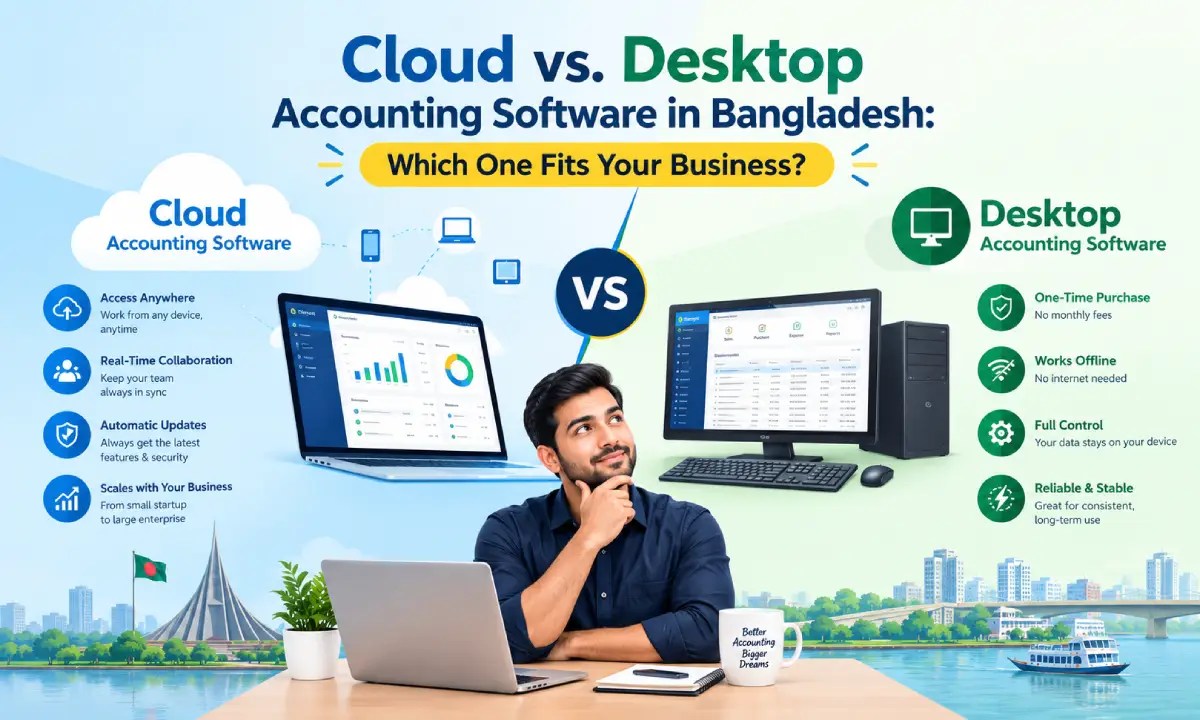
Cloud vs. Desktop Accounting Software in Bangladesh: Which One Fits Your Business?
Choosing between cloud and desktop accounting software feels simple until you’re the one signing the contract. Pick wrong, and you’re either paying for remote-access features you never use, or watching a power cut lock your books for a day. Get it right, and the software disappears into the background of running your business. This guide breaks the decision down to four factors that actually matter for a company operating in Bangladesh, then points you to a straight answer based on what kind of business you run.
What’s the Real Difference Between Cloud and Desktop Accounting Software?
Desktop accounting software installs directly on a computer or office server. Your data lives on that machine: you control it, back it up, and access it only from where it’s installed, with or without internet.
Cloud (online) accounting software runs on a vendor’s remote servers and is accessed through a browser or app. Log in from any device with internet access, and the vendor handles updates, backups, and uptime on their end. Sage’s breakdown of the two models and NetSuite’s comparison both cover this split well at a global level.
What’s missing from most comparisons written for a Bangladeshi audience is which option actually holds up once you factor in local tax rules, patchy connectivity outside Dhaka, and what each option really costs over a few years, not just at checkout.
4 Factors That Actually Matter for Bangladeshi Businesses
1. NBR VAT and Mushak compliance
Bangladeshi businesses above the VAT-registration threshold are expected to file returns in NBR’s Mushak formats (6.3, 6.6, and related forms). Deployment type alone doesn’t decide this. Plenty of desktop and on-premise tools built for the local market handle Mushak formatting natively, while several international cloud tools popular here require manual configuration or a workaround to match NBR’s exact reporting format. The question to ask a vendor isn’t “cloud or desktop,” it’s “does this generate Mushak 6.3/6.6 automatically, out of the box, for my business type.” DUSRA Soft’s account management software is built around this kind of local requirement rather than adapted to it after the fact.
2. Internet and power reliability outside Dhaka
Cloud accounting’s biggest selling point, access from anywhere, depends entirely on having internet when you need it. That’s a safe bet in central Dhaka. It’s a weaker bet in a lot of the country, where load-shedding and inconsistent broadband are still part of running a business day to day. Desktop software keeps running through an outage because the data never left the building. If you’ve ever had a register or a finance team frozen out mid-transaction because the connection dropped, you already know how this factor should be weighted.
3. Data ownership and control
With desktop software, your financial records sit on hardware you physically control. With cloud software, they sit on a vendor’s servers, governed by that vendor’s security practices and terms of service, which matters if you handle sensitive client financials or operate in a regulated sector. Neither option is inherently unsafe; the difference is who is responsible for that data staying safe, and whether you’re comfortable with that arrangement.
4. Total cost over three years, not the sticker price
Desktop software usually looks cheaper upfront: a one-time license fee instead of a monthly bill. But that number hides IT support, manual backup infrastructure, and eventual upgrade costs. Cloud software spreads cost into predictable monthly payments and folds in updates and backups, but a few years of subscriptions can quietly add up to more than a desktop license would have cost. FreshBooks’ cost comparison and AccountEdge’s breakdown both make the same point from a global market: run the comparison over three years, not month one, before deciding based on price.
| Factor | Desktop | Cloud | Hybrid (on-premise + cloud sync) |
|---|---|---|---|
| Mushak 6.3/6.6 automation | Strong, most local BD tools built for this | Varies by vendor, often needs setup | Strong, where offered |
| Works through power/internet outages | Yes | No | Yes (local copy stays usable) |
| Data stored under your direct control | Yes | No, vendor-hosted | Yes, with cloud backup |
| Access from multiple locations/devices | No, without extra setup | Yes, natively | Yes |
| Typical 3-year cost pattern | Lower, front-loaded | Higher, spread out | Mid-range |
Not every vendor offers a genuine hybrid option, and some that claim to are really just desktop software with a basic cloud backup bolted on. A handful of Bangladesh-focused platforms do it properly. If neither pure cloud nor pure desktop feels like a clean fit once you’ve weighed these four factors, that’s usually the sign to ask a vendor about hybrid deployment directly rather than force yourself into one column of the table above.
Cloud Accounting Software: Pros and Cons for Bangladesh
Pros
- Access your books from any device, any location, as long as you have internet
- Vendor handles backups and updates automatically
- Easier to give an accountant or business partner remote access without emailing files around
- Scales with you as you add users or locations
Cons
- Unusable during an internet outage, a real risk outside major cities
- Ongoing subscription cost that can exceed desktop’s total cost over time
- Full Mushak compliance sometimes needs manual setup, depending on the vendor
- Your data lives on someone else’s servers
Desktop Accounting Software: Pros and Cons for Bangladesh
Pros
- Works completely offline, unaffected by internet or power issues once running
- Often a lower total cost for a single-location business that won’t outgrow it soon
- Full control over where your data physically sits
- Many BD-built tools handle Mushak formatting natively
Cons
- Tied to the specific device or server it’s installed on
- You own the backup responsibility, with no vendor safety net
- Multi-location or remote access needs extra setup, if it’s possible at all
- Manual updates instead of automatic ones
Which Should You Choose? A Decision Matrix by Business Type
| Business type | Recommended | Why |
|---|---|---|
| Retail & POS-heavy businesses | Cloud, or hybrid if outlets are outside Dhaka | Multiple registers/locations benefit from real-time syncing, but outage resilience matters if any location has unreliable connectivity |
| Distribution, wholesale & manufacturing | Hybrid, or desktop with strong local support | High transaction volume and multi-branch operations favor local reliability, with cloud sync layered on top where available |
| Service firms & agencies | Cloud | Remote client access, collaboration, and lower upfront infrastructure needs outweigh the outage risk for most office-based service work |
| Freelancers & startups | Cloud, unless budget strongly favors a one-time cost | Low transaction volume and single-user access make the flexibility worth the subscription; a lean desktop tool is a reasonable fallback if cash flow is tight |
Retail & POS-heavy businesses
A register that can’t ring up a sale is money walking out the door, so this is the segment where the connectivity question matters most in practice, not just on paper. If every outlet has stable internet, cloud makes syncing across locations simple. If even one location doesn’t, a hybrid setup keeps that register working through an outage instead of turning into a paper-and-calculator afternoon. DUSRA Soft’s POS and inventory management software is built for exactly this kind of multi-location retail operation.
Distribution, wholesale & manufacturing
Here the transaction volume is high and the number of people who need remote login access tends to be low. That combination usually points away from a pure cloud platform. A hybrid deployment, or a strong desktop tool with cloud backup layered in, holds up better under heavy daily use than a browser-based system that’s fighting an unreliable connection.
Service firms & agencies
This is the segment where cloud earns its reputation. Most of the work happens from an office or a client site with dependable internet, and being able to pull up the books from a laptop while sitting across from a client, or hand an accountant remote access without a USB drive, matters more than offline resilience does.
Freelancers & startups
At low transaction volume, the cost gap between cloud and desktop is small in absolute terms, which makes the flexibility of logging in from a phone worth it for most people at this stage. A lean desktop tool is still a fair call if a monthly subscription is a real budget concern in year one.
Can You Switch Later? Migrating from Desktop to Cloud
Yes. Most businesses that start on desktop software can migrate to cloud later without starting their books from scratch. The general steps: export your chart of accounts and historical transaction data in a compatible format, confirm the cloud platform supports Mushak-format reporting before committing, run both systems in parallel for one reporting cycle to catch discrepancies, then cut over fully once the numbers reconcile.
Budget for some data-cleanup time, since exports rarely map over perfectly, and involve whoever handles your NBR filings early so nothing falls through during the transition. DUSRA Soft’s software development team can also build the migration and integration work around your existing setup if you’d rather not manage it in-house.
Frequently Asked Questions
Is cloud or desktop accounting software better for businesses in Bangladesh? Neither is universally better. It depends on your connectivity, business type, and how many locations you operate. Businesses with stable internet and multiple users generally do better on cloud; businesses in areas with unreliable power or internet, or with heavy local transaction volume, often do better on desktop or hybrid.
Do I need NBR-approved VAT software, and does it have to be cloud-based? VAT-registered businesses are expected to file in NBR’s Mushak formats, but the software doesn’t have to be cloud-based to comply. Both desktop and cloud tools can be Mushak-compliant; check with the specific vendor rather than assuming based on deployment type.
Is cloud accounting data safe during power cuts and internet outages outside Dhaka? Your data itself stays safe on the vendor’s servers, but you lose access to it until power or internet returns. For businesses where that’s a frequent, real problem, a hybrid setup that keeps a local copy usable during outages is worth the extra evaluation.
How much does accounting software cost in Bangladesh? Pricing varies widely by vendor and feature set, from lean single-user tools to enterprise ERP-level systems. Compare total cost over three years, not just the first invoice, since desktop’s one-time fee and cloud’s recurring subscription land very differently over time.
Can I switch from desktop to cloud accounting software later? Yes. Most businesses can migrate without losing historical data, though it takes planning: export your existing records, verify Mushak-format support on the new platform, and run both systems in parallel for one cycle before fully switching over.
Considering a system built specifically for how Bangladeshi businesses actually operate? DUSRA Soft has been building local account management, inventory, and payroll software since 2011, deployed however your business actually needs it: cloud, desktop, or hybrid.